Page 1 of 1
iPhone app shows current readings, but no control
Posted: Sun Aug 12, 2012 10:10 am
by estanoche
This has been driving me nuts.... I'll admit, Ive been really slow at upgrading my firmware on my wifi to 2.35, but I did do that last week and it still didnt resolve this issue...
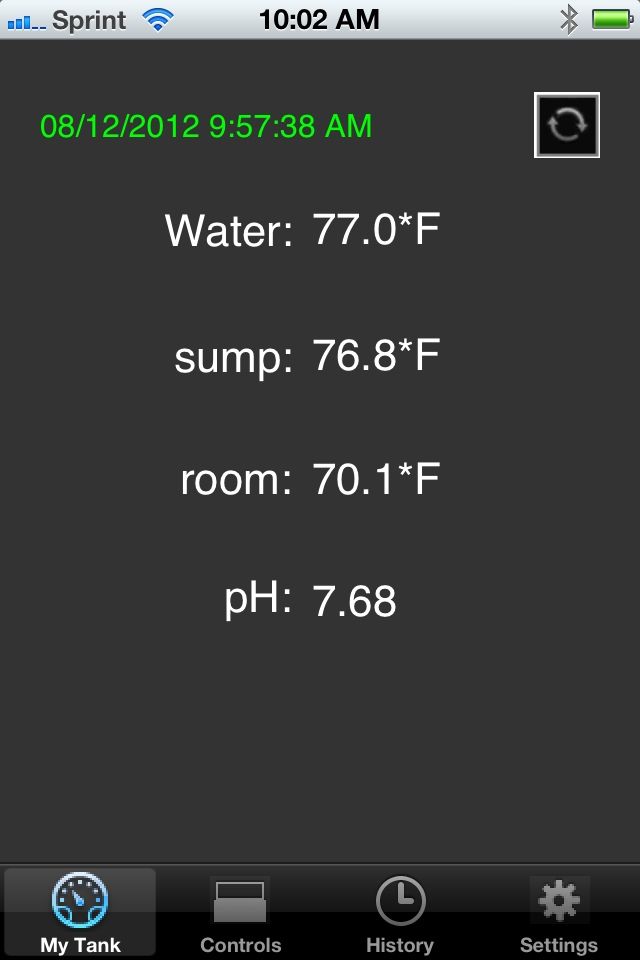
The RA app on my iphone, while it will quickly connect and display me my tank readings:
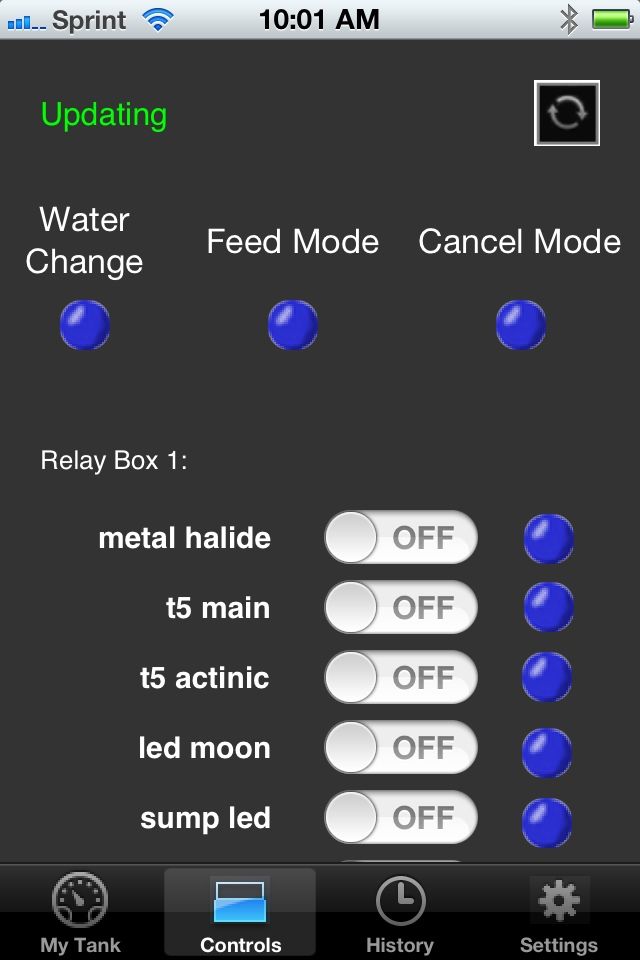
It refuses to connect to the control screen even after waiting several minutes:
I had a hell of a time getting the firmware to update on my wifi - had to use terra term to do it by hand as none of the utilities could get a stable connection with the unit - it is quite possible I have screwed up about 100 different settings in the process of wiping/reinstalling/wiping/resetting firmware process
Any suggestions? What else would you need to know about my programming to get a clear picture?
Re: iPhone app shows current readings, but no control
Posted: Sun Aug 12, 2012 11:51 am
by rimai
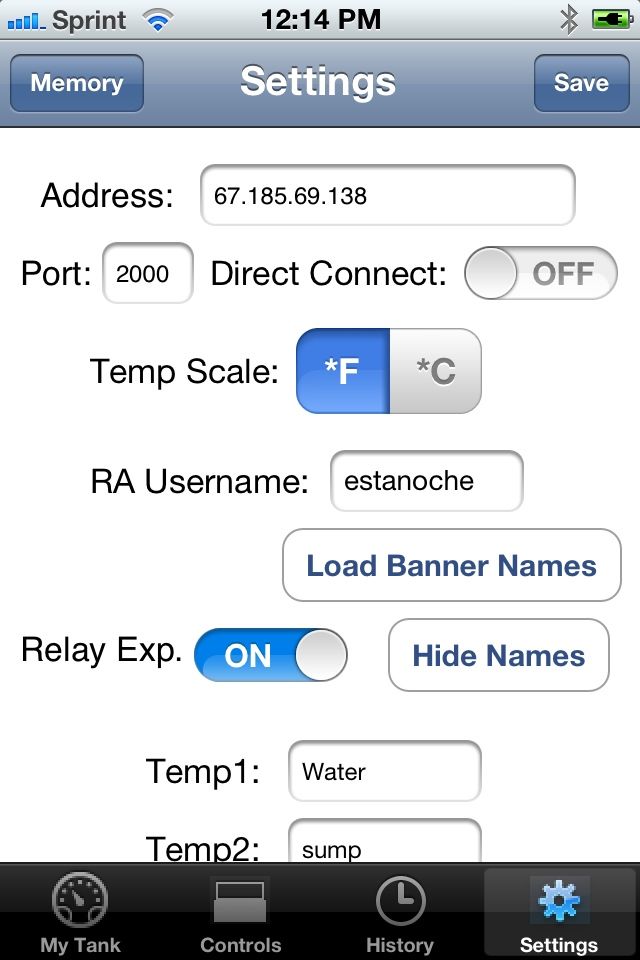
what do you have on settings->direct connection?
Re: iPhone app shows current readings, but no control
Posted: Sun Aug 12, 2012 12:17 pm
by estanoche
Nothing much - got my IP, port 2000, and DC set to "off"
Re: iPhone app shows current readings, but no control
Posted: Sun Aug 12, 2012 12:23 pm
by rimai
Change direct connect to on
Re: iPhone app shows current readings, but no control
Posted: Sun Aug 12, 2012 12:26 pm
by estanoche
issue remains with DC "on" - actually with DC on, it hangs on both the My Tank and Control screen
Re: iPhone app shows current readings, but no control
Posted: Sun Aug 12, 2012 12:30 pm
by rimai
Does it work if you use the internal ip address?
One thing is for sure. You need to have direct connect set to on to be able to connect to the controller and control relays. With direct connect off, it will pull the last data sent to the server.
Re: iPhone app shows current readings, but no control
Posted: Sun Aug 12, 2012 12:44 pm
by estanoche
rimai wrote:Does it work if you use the internal ip address?
One thing is for sure. You need to have direct connect set to on to be able to connect to the controller and control relays. With direct connect off, it will pull the last data sent to the server.
makes sense - I'll be sure to keep the DC on..
I can connect internally - so I'm thinking its something in my router settings??? Any ideas on what I should be looking for?
Re: iPhone app shows current readings, but no control
Posted: Sun Aug 12, 2012 12:46 pm
by rimai
If you can connect internally, make sure that your port forwarding is setup correctly in your router.
Re: iPhone app shows current readings, but no control
Posted: Sun Aug 12, 2012 12:49 pm
by estanoche
rimai wrote:If you can connect internally, make sure that your port forwarding is setup correctly in your router.
It is - my current suspicion is when I was wiping the wifi module I overwrote some code for the web server that indicates what types of connections its allowing.............
Re: iPhone app shows current readings, but no control
Posted: Sun Aug 12, 2012 12:58 pm
by rimai
If you can connect internally, then it should be set up correctly.
Check the port forwarding here:
http://www.yougetsignal.com/tools/open-ports/
When your router is setup correctly, it will say that the port 2000 is open.
Re: iPhone app shows current readings, but no control
Posted: Sun Aug 12, 2012 1:03 pm
by estanoche
hmmm yeah its showing closed ........ stupid motorola, the settings are right i swear!!
Re: iPhone app shows current readings, but no control
Posted: Sun Aug 12, 2012 1:05 pm
by estanoche
for sanity sake, does this look right?
CMD
get ip
IF=UP
DHCP=ON
IP=192.168.10.5:2000
NM=255.255.255.0
GW=192.168.10.1
HOST=69.198.171.165:80
PROTO=TCP,
MTU=1524
FLAGS=0x6
TCPMODE=0x0
BACKUP=0.0.0.0
<2.35> ???vk????j??=helloworld
Chan=0
ExtAnt=0
Join=1
Auth=OPEN
Mask=0x1fff
Rate=12, 24 Mb
Linkmon=0
Passphrase=MYPASSPHRASE
<2.35> get u
Baudrate=57600
Flow=0x0
Mode=0x2
Cmd_GPIO=0
<2.35> GET /r99 HTTP/1.1
Host: 192.168.10.5:2000
Re: iPhone app shows current readings, but no control
Posted: Sun Aug 12, 2012 1:09 pm
by rimai
Yeap. Looks correct.
Do you happen to have 2 routers?
Or maybe one modem and one router?
Re: iPhone app shows current readings, but no control
Posted: Sun Aug 12, 2012 1:11 pm
by estanoche
its one of those motorola surfboards - cable modem and router in the same device......
Re: iPhone app shows current readings, but no control
Posted: Sun Aug 12, 2012 1:13 pm
by rimai
Is it wifi too?
All-in-one?
Sent from my SPH-D700 using Tapatalk 2
Re: iPhone app shows current readings, but no control
Posted: Sun Aug 12, 2012 1:19 pm
by estanoche
yup - all in one.........
Re: iPhone app shows current readings, but no control
Posted: Sun Aug 12, 2012 1:37 pm
by estanoche
AHA - i figured it out...
on my unit, in port forwarding I can select "both" "tcp" or "udp" as a forwarding option.... apparently, when set to both, that is no good
setting it to TCP fixed the issue
Re: iPhone app shows current readings, but no control
Posted: Sun Aug 12, 2012 1:41 pm
by rimai
cool
